FMS Platform

Operational monitoring for plant-wide visibility, alarms and review

Structured operational visibility platform

FMS structures live industrial signals, alarms, historian records and operational events into dashboards, reviews, workflows and role-based visibility for plant teams.
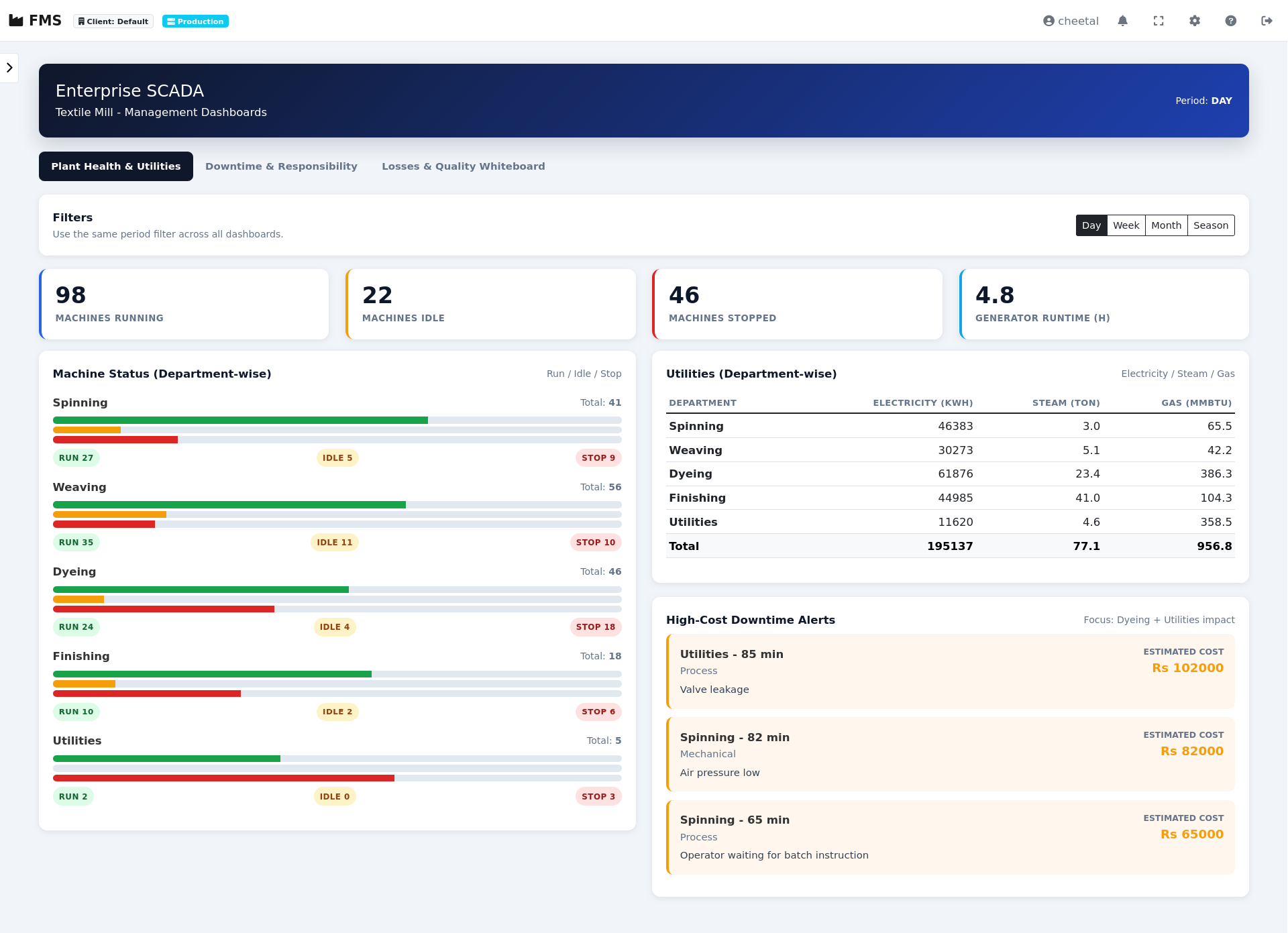
FMS operational dashboard showing alarms, tags, summaries and review information

Industrial operations already produce signals

Plants already generate alarms, utility readings, machine events and operational records. FMS structures these into visibility that supports review, accountability and operational continuity.

Alarm Events

Machine trips, pressure alarms, generator faults, utility deviations and operator alerts already exist across the plant.

Operational Logs

Shift records, maintenance notes, production updates and manual follow-ups are often fragmented across teams.

Utility Consumption

Power, steam, gas, water and fuel systems continuously produce operational data requiring structured review.

Operational Coordination

Operations, maintenance, utilities and management teams require aligned visibility across the same events and records.

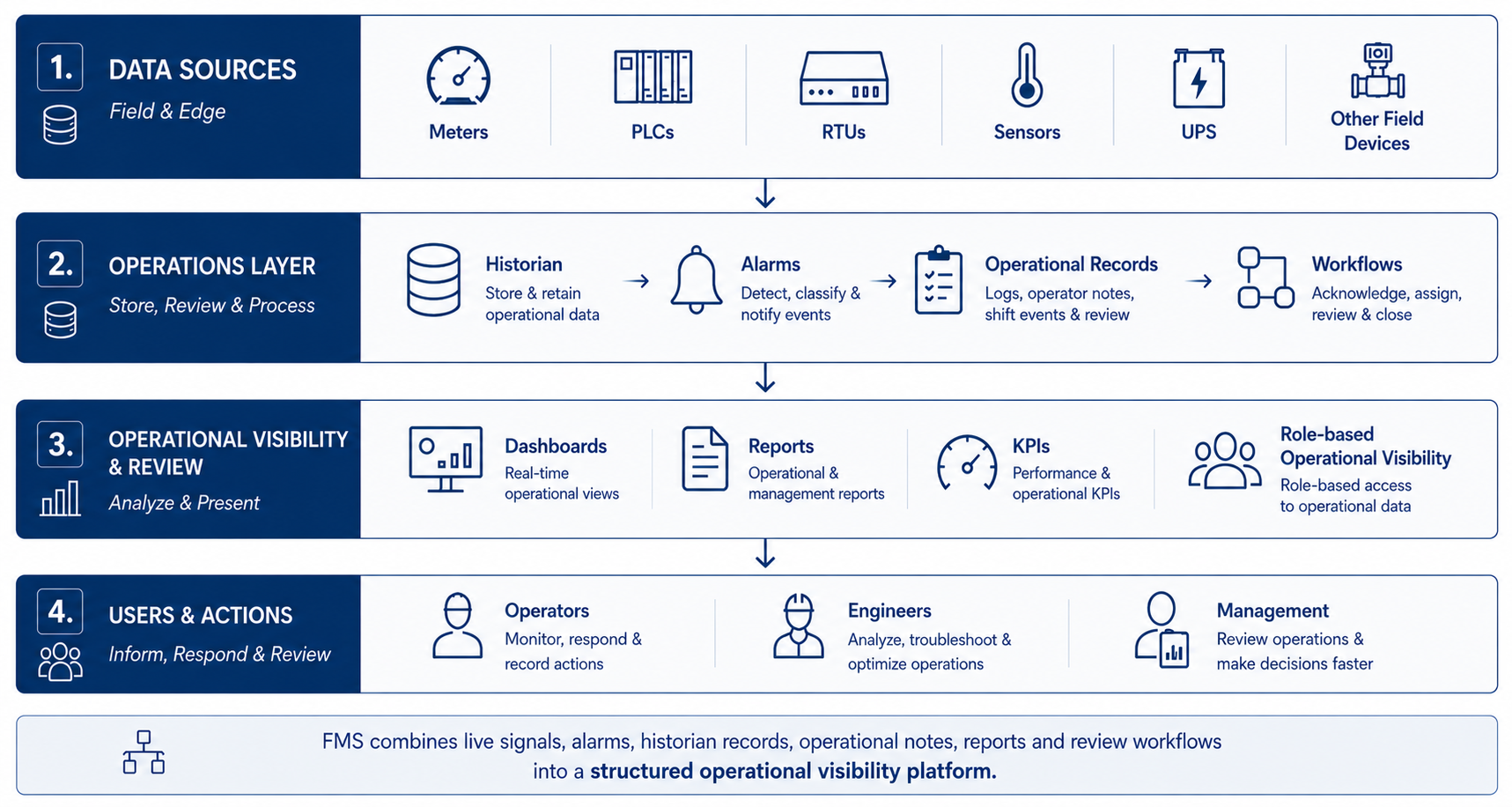
From field signals to operational visibility

FMS structures live industrial signals, alarms, historian records and operational events into dashboards, reports, review workflows and role-based visibility.

FMS deployment architecture showing field systems, platform layer and operations teams

What structured operational visibility enables

FMS turns fragmented plant signals, alarms and daily activity into structured records, workflows and reviewable operational information.

Alarm Workflows

Convert abnormal values, trips and alarms into structured event records with acknowledgements, escalation paths and review history.

Operational Review

Combine historian trends, KPIs, shift records and operational notes into structured review workflows instead of scattered spreadsheets and verbal updates.

Management Visibility

Provide plant, utility and department-level visibility through dashboards, scheduled reports and operational records that support faster review and decision-making.

Built for continuous operations and expandable deployments

FMS supports practical monitoring while preserving records, review and controlled changes.

Live Configuration

Engineers configure devices, alarms, dashboards, KPI rules and reports through the web interface. Changes are applied without stopping the system or interrupting data collection.

Built-In Governance

Configuration changes are tracked, versioned and attributed. Drafts can be reviewed before deployment so changes do not depend on memory or undocumented edits.

AI-Assisted Review

AI can assist with summaries, diagnostics and structured queries. It supports review and proposal workflows; engineers remain responsible for approving operational changes.

How FMS supports daily plant operations

Practical workflows for configuration, maintenance, operations review and controlled change.

 Configuration — Structured Signals, Alarms and Roles

Define devices, tags, templates, alarm rules, dashboards and access roles through a structured interface. New engineers understand the system from records, not memory.

 Maintenance — Event History and Structured Diagnostics

Review alarm history, system status, tag behavior and configuration versions before making changes. Changes can be drafted and reviewed before deployment.

 Daily Operations — Shift Reports and Management Visibility

Generate shift reports, KPI summaries, alarm reviews and operational summaries so operators, engineers and managers work from the same structured operational record.

 AI Support — Structured Queries, Drafted Changes and Analytics

AI assists with diagnostics, structured queries, draft change proposals and analytics generation for graphs, summaries and review workflows. All proposed actions remain reviewable before application.

Engineering capability for live plant operations

Behind day-to-day operations, FMS gives engineers a controlled toolchain for configuration, diagnostics and change review without interrupting plant monitoring.

 Live Configuration Through the Web Interface

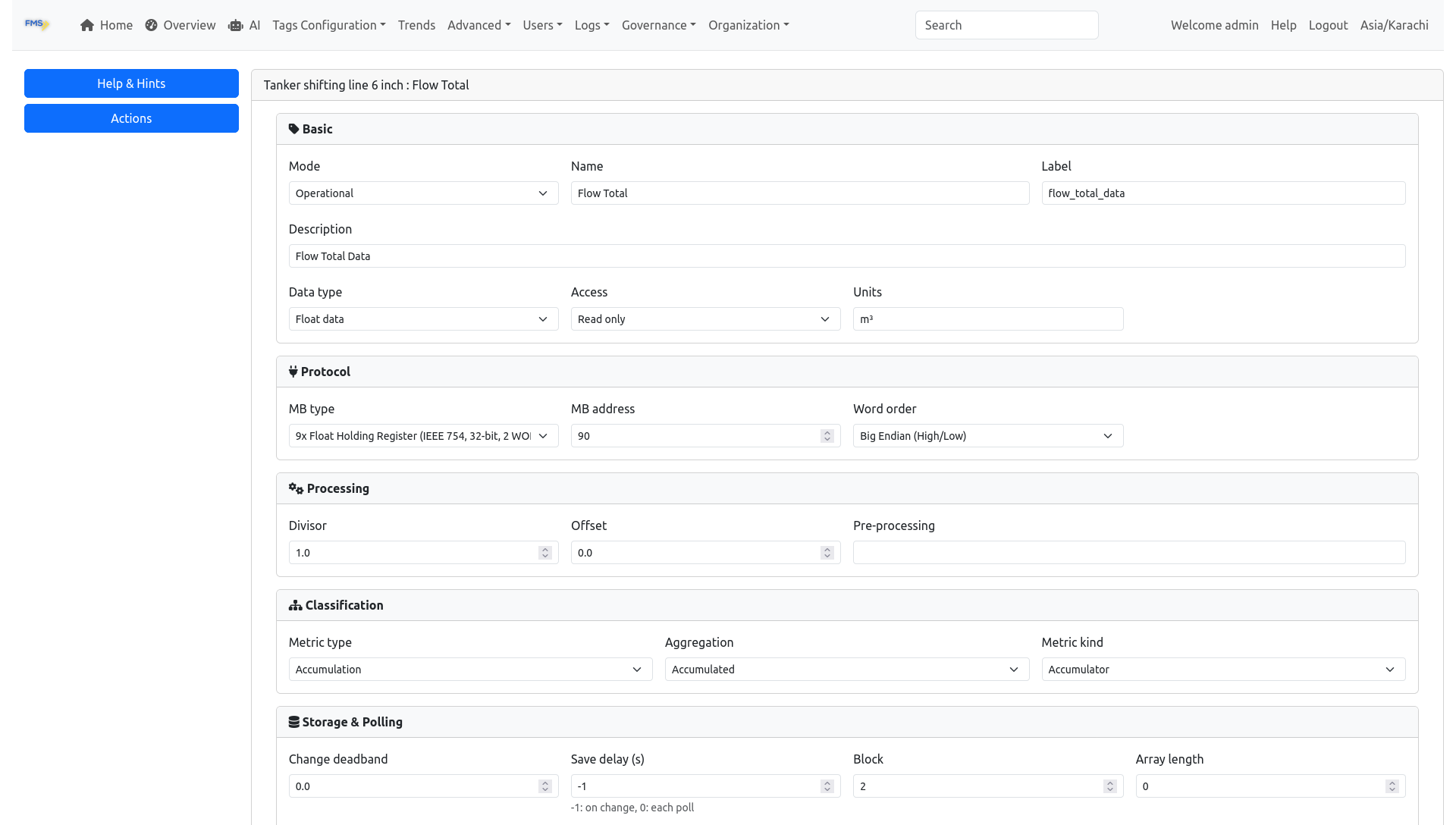
All system configuration is done through the web interface. Engineers configure devices, alarms, dashboards, KPIs, OEE rules, and schedules using standard web forms — no special tools or training required.

Changes take effect immediately. There is no compilation step, no service restart, and no interruption to data collection. FMS is designed for continuous plant operation where downtime is unacceptable.

FMS Web Interface - Tag Configuration
  • Configure devices, tags, and alarm thresholds
  • Set up dashboards with gauges, trends, and mimic displays
  • Define KPI formulas and OEE rules
  • Manage shift schedules and reporting periods
  • Assign user roles and access permissions
  • All changes applied in real time — no restart needed

 Optional Engineering Console — Advanced Engineering Toolkit

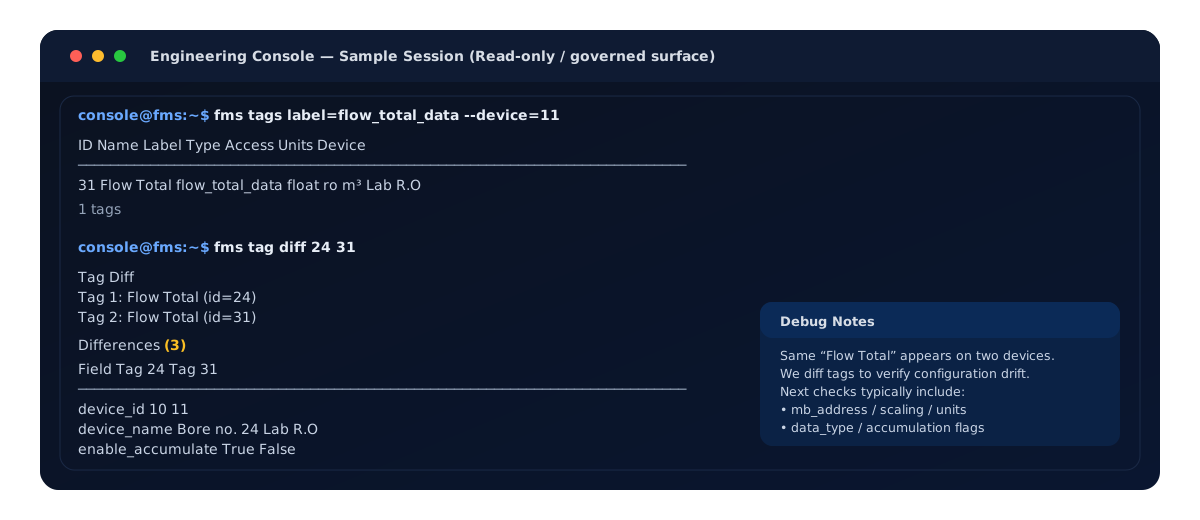
For experienced engineers who need faster workflows, FMS includes an optional Engineering Console. This is a complementary tool — it does not replace the web interface, but extends it for advanced diagnostics and automation.

FMS Engineering Console — configuration diff view

Configuration comparison — reviewing changes before applying

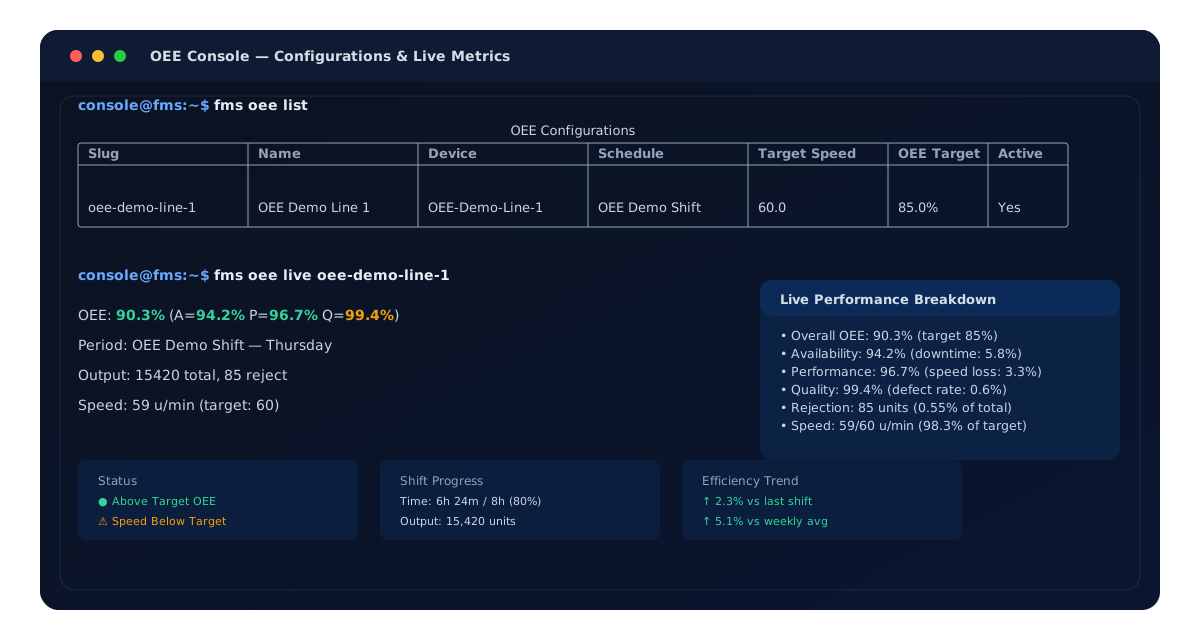
FMS OEE Console — live OEE metrics

OEE live metrics — shift performance at a glance

  • Compare configuration versions side by side
  • Rapid troubleshooting and system diagnostics
  • Inspect scripts and automation workflows
  • Query system state and tag dependencies
  • Integrates with API and automation tools
  • Same governance rules apply — all changes are tracked

 The Engineering Console is optional. All day-to-day configuration and monitoring is done through the standard web interface.

Define the right FMS monitoring architecture for your site

Share your BOQ, signal list, system architecture or operational scope. Cheetal Technology can help define a practical monitoring architecture — from focused appliance deployments to plant-wide or multi-site visibility.

View FMS Products Discuss Monitoring Scope